
Changelog
New features and improvements in Proferex, newest first.
Choose which upsells and rebills your traffic source hears about
Push and pop networks treat every postback as a new conversion. So when we passed on an order bump or a monthly renewal, your traffic source thought you'd bought another customer, and its CPA went wrong. Each traffic source now has an Upsells and rebills setting, and the default is the first conversion only. Your Proferex reports still count everything.
Two new postback parameters cover the odd case: send=1 or send=0 decides for one conversion, and count=1 counts an upsell or rebill as a conversion of its own. One more thing while we were in there: a negative payout, like a chargeback, is now refused instead of being booked at the offer's payout.
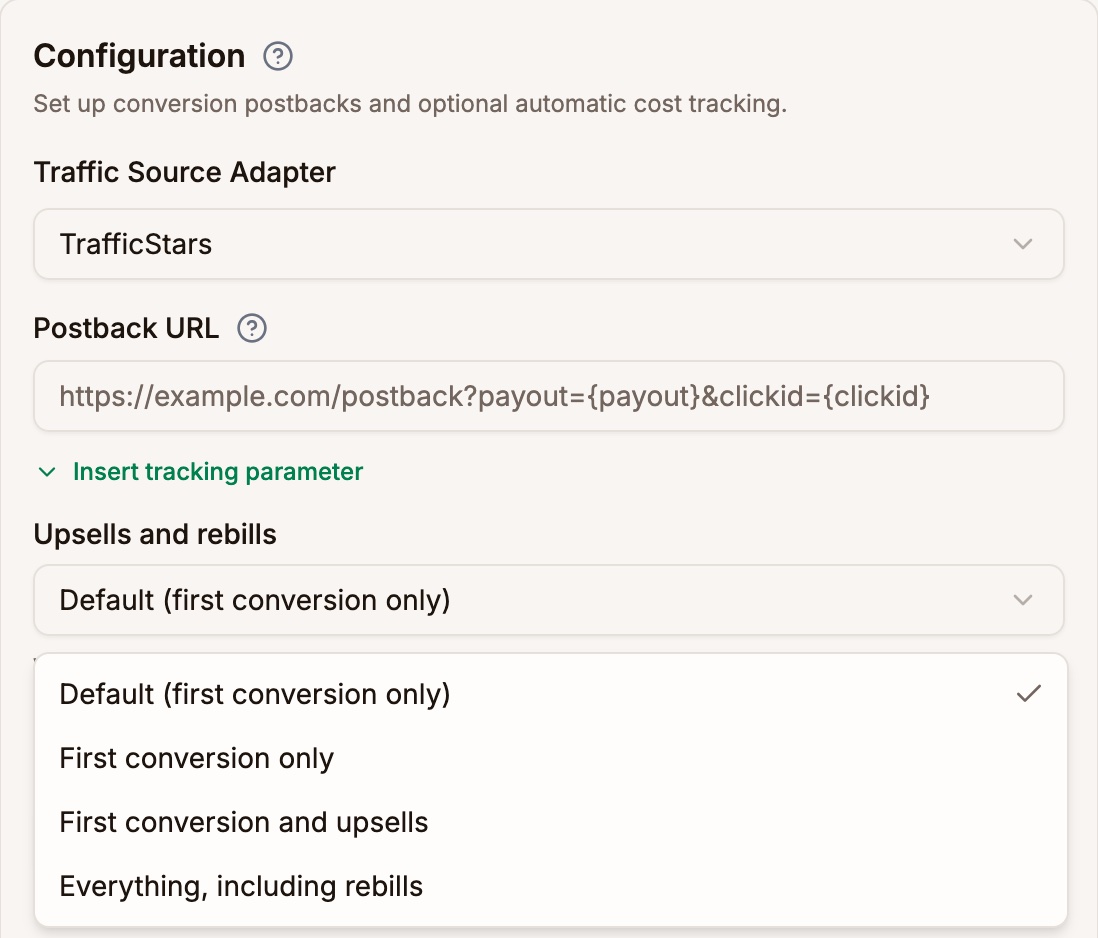
The setting sits under the Postback URL CPA cost now lands on the day of the conversion
A CPA traffic source bills you when the visitor converts, so that's when Proferex now charges it. A visit on Monday that converts on Tuesday costs nothing on Monday and the CPA on Tuesday, which is how your traffic source's invoice reads too. Before, the charge went back onto Monday and a late conversion quietly changed a day you'd already closed.
Upsells and rebills no longer add a second CPA either. You pay once per customer, and now Proferex agrees.
Costs from your click URL show up for every traffic source
If you set up your own traffic source and passed the cost in the click URL, the visits were tracked but your reports showed $0 cost. That's fixed: the cost now reaches your reports within a minute, whatever the traffic source. Small thing, but it made profit on those campaigns look far better than it was.
Your AI app and the Tracker Agent can now do everything the app can
We went through every screen in Proferex and gave the AI side whatever it was still missing. Ask Claude, ChatGPT, Codex or the Tracker Agent to read your Click Log, Conversion Log and Postback Log ("why is this conversion missing?" finally gets a real answer), re-fire a postback, delete things you no longer need, set a campaign's cost model or URL slug, create a traffic source from the ExoClick template, change a lander's page or domain, and manage tracking domains, page domains, your default campaign, piggyback postbacks, published pages and lander uploads.
The rules haven't changed. Every change still waits for your confirmation, deletes are one item at a time and never suggested on their own, and anything still in use is refused with the reason. Ad spend and API keys stay in the app.
One small thing on the way: an ExoClick traffic source no longer insists on its API token before it will save. Set it up like TrafficJunky or TrafficStars, add the token when you have it, and cost sync starts then.
Your AI app can now publish a page and set a lander's URL parameters
Until now, an AI app could upload and edit a page but couldn't turn it into a Published Page, and couldn't give a lander the URL parameters its page needs, such as clickid={clickid}. Both are possible now, from Claude, ChatGPT, Codex or the Tracker Agent. So "publish index.html from my new upload and make it a lander that passes the click ID" is one conversation, with each step waiting for your approval as usual.
A slimmer header, with a trail back
The bar above every page used to be mostly empty. It's now a thin strip with the menu button and a breadcrumb trail, so on a campaign you see Tracker, Campaigns, then the campaign's name, and any part of the trail takes you back. Pages also share one width now, so a wide screen doesn't get one page stretched edge to edge and the next one stopping short.

The header on a campaign page One page for each blog
Click a blog under Blog → Blogs and you land on its own overview: articles, pages, categories, domains and settings in one place, with each count linking straight into that list. We built it because we kept bouncing between Articles and Pages just to find out what a blog had in it.
A few small things came with it. A category's row opens its edit dialog, its article count opens the articles in that category, and every blog list has a quick way back to the blog's overview.
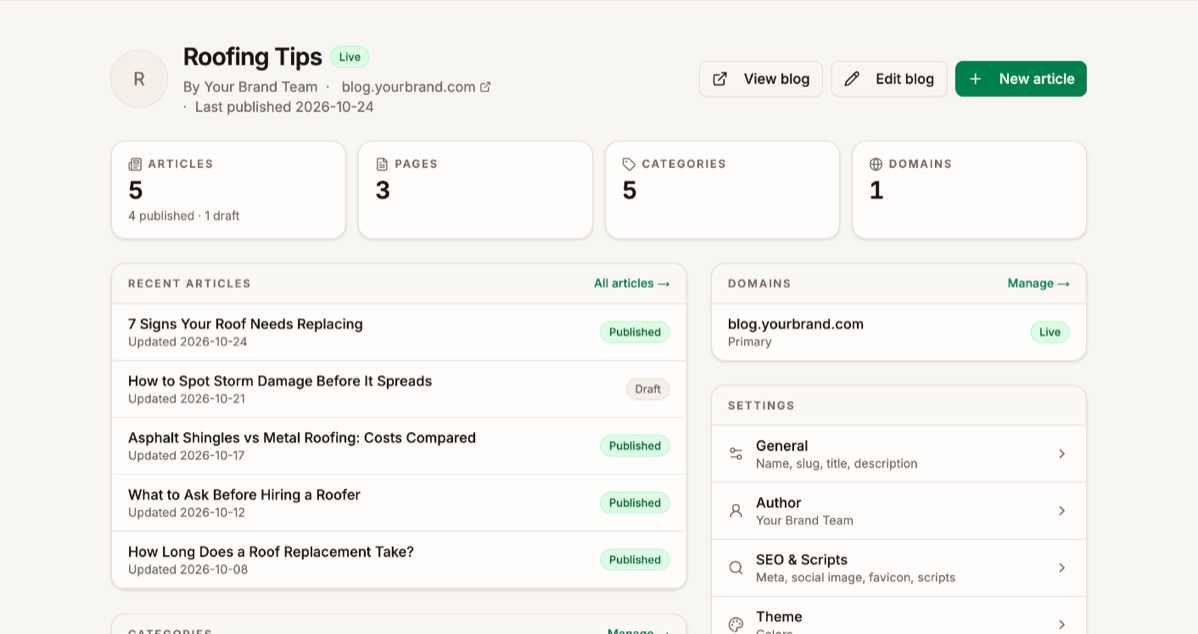
A blog overview ExoClick: your click ID can't get cut off anymore
Some ExoClick video pages were cutting campaign URLs short, so a share of those clicks reached Proferex without a click ID and their conversions never made it back to ExoClick. The campaign URL we give you now puts the click ID and cost first, where nothing can get in their way.
If you set up ExoClick before this week, open the campaign, copy its URL again and paste it into ExoClick. Takes a minute, and your ExoClick conversion counts will be whole again.

Click ID and cost first Connection Type tells mobile data from Wi-Fi more reliably
The Connection Type breakdown in your reports got more accurate. It now separates Carrier from Wi-Fi on far more networks, marks Datacenter traffic such as cloud servers, VPNs and bots, and says Unknown instead of guessing when it isn't sure.
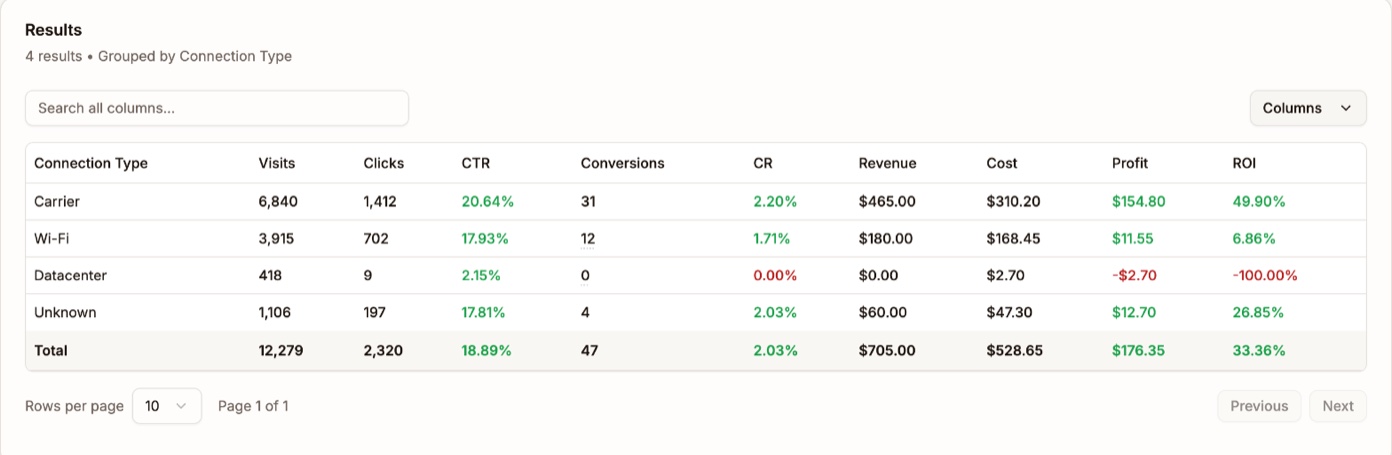
Analytics grouped by Connection Type CPA campaigns take the cost from your click URL
If your traffic source puts the price of each conversion in the click URL, like TrafficStars does with {cost}, a CPA campaign now uses it. Every conversion is charged at the price that came with its click, and a visit that never converts costs nothing. Static CPA is still there as the fallback for clicks that arrive without a cost.
That's the same order CPC campaigns have always used: synced spend first, then the URL, then the static value. The cost settings in the campaign form now spell out that order for whichever model you pick.
TrafficStars guide: which cost model to pick
The TrafficStars chapter now shows the Templates menu that fills in the whole traffic source for you, links to the full list of TrafficStars tokens, and walks through CPC, CPA and CPMV pricing. Pick the matching cost model in Proferex and the numbers line up with what TrafficStars bills you.
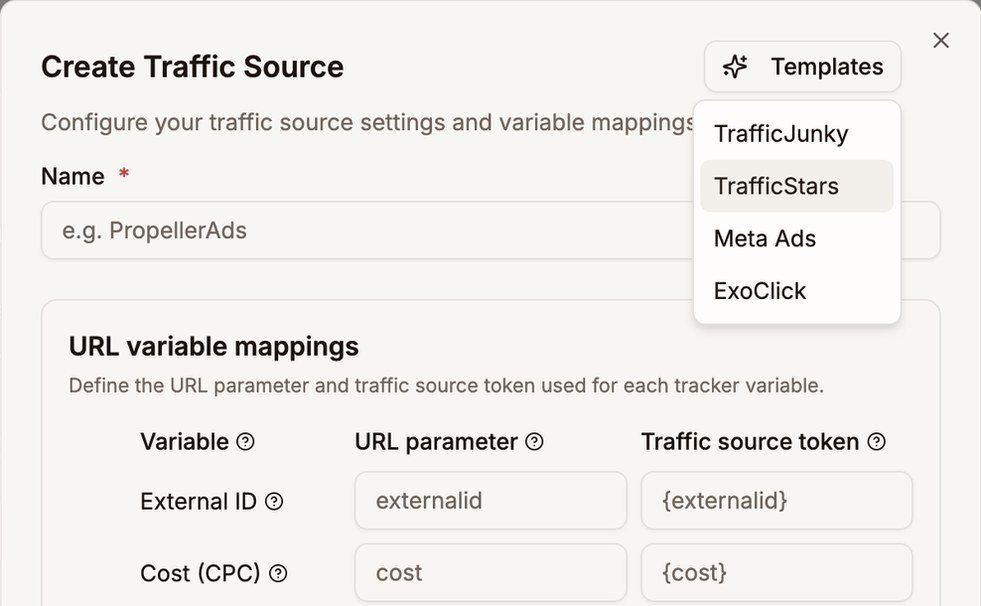
Templates fills in the whole form A quicker way to reach us
There's a small chat bubble in the bottom corner of the homepage and the manual. Click it and you get our email and Telegram. Stuck on a setup step while reading the docs? That's what it's for.
Setup guides for Claude, ChatGPT and Grok
Every AI app hides its connector settings somewhere different, so we wrote a guide for each one, with screenshots of every click. Claude and Claude Code, ChatGPT and Codex, Grok and Grok Build.
The Claude guide also shows a setting worth changing: let it look up your stats without asking each time, but keep it asking before it proposes a change.
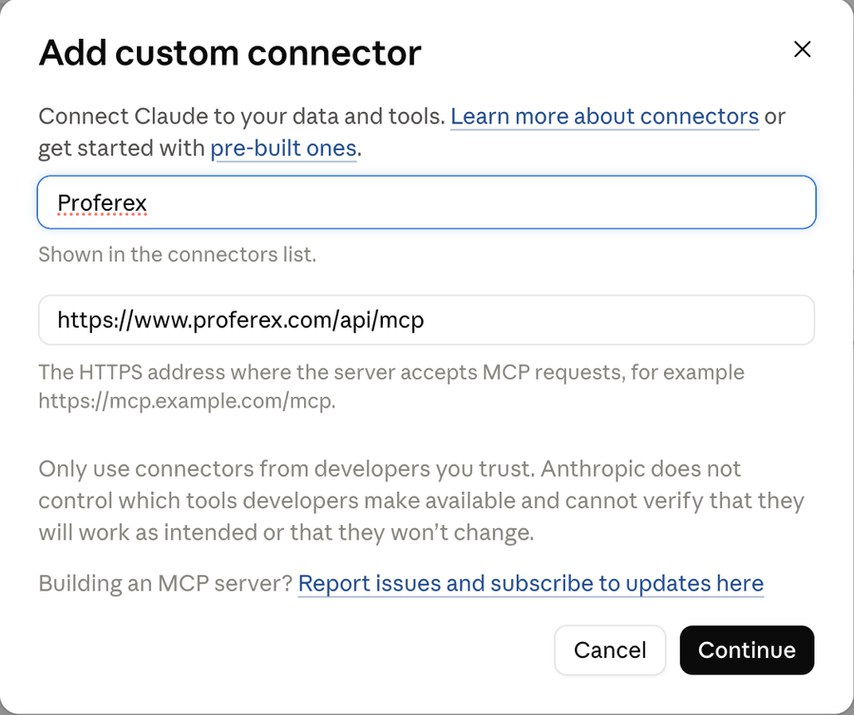
Adding Proferex to Claude Your AI can see every blog now
If your blog runs on your main site instead of its own domain, the agent, Claude and ChatGPT couldn't list what was published on it. Fixed. Ask what's live on any of your blogs and you'll get an answer.
Proferex now works inside Claude, ChatGPT and Grok
Already paying for Claude or ChatGPT? Hook it up to your Proferex account and just ask it things. Which campaigns made money last week? How are my US mobile offers doing compared to last month? It pulls the answer from your actual stats.
It can also set up offers, landers, campaigns and combinations for you. Before anything gets saved, you approve it in Proferex. It won't eat your AI credits either, since the chat runs on your AI app's plan. Works with Claude, Claude Code, ChatGPT, Codex, Grok and any other app that supports MCP.
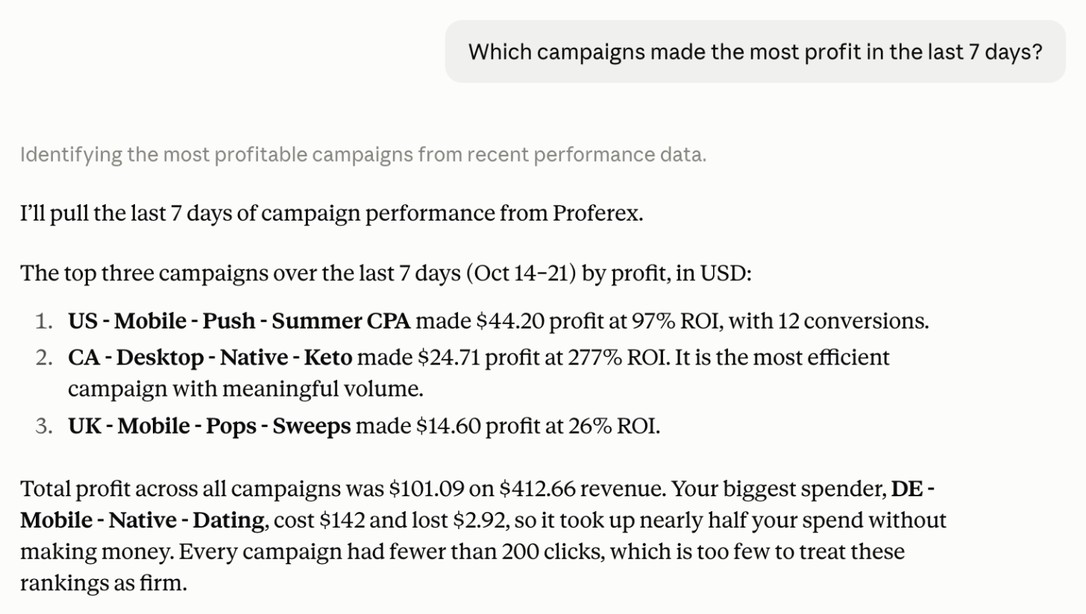
Claude answering from your Proferex stats See everything your AI wants to change
Head to Account → Connected AI Apps. Every change your AI apps have asked for is waiting there. Open one, check the values, then approve or decline. If you're done with an app, you can disconnect it from the same page.
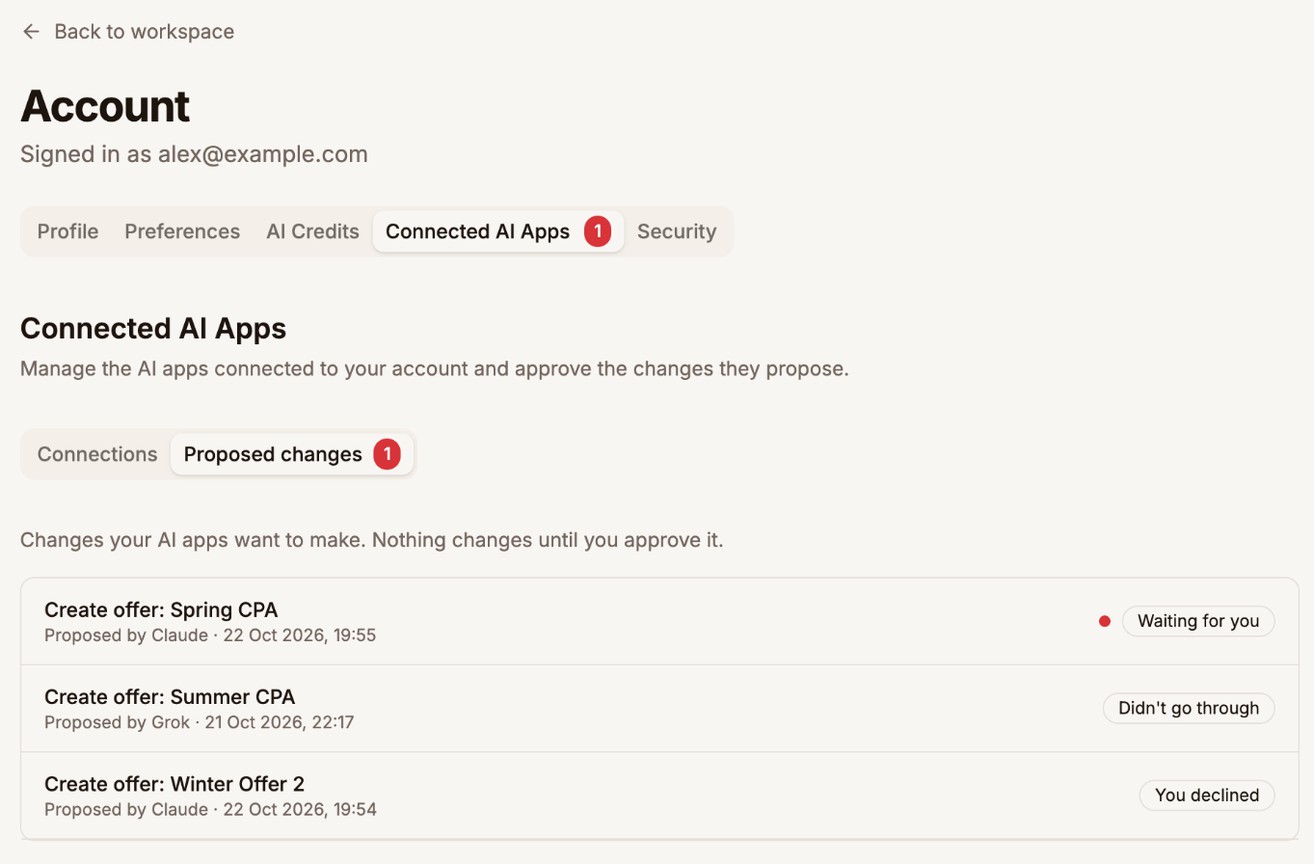
Waiting, approved or declined, newest first Let AI draft your blog posts
Tell the agent, or Claude, or ChatGPT, what to write about and it saves a draft to your blog. Don't like the intro? Say so in the chat and it'll rewrite it. Readers won't see a thing until you approve publishing.
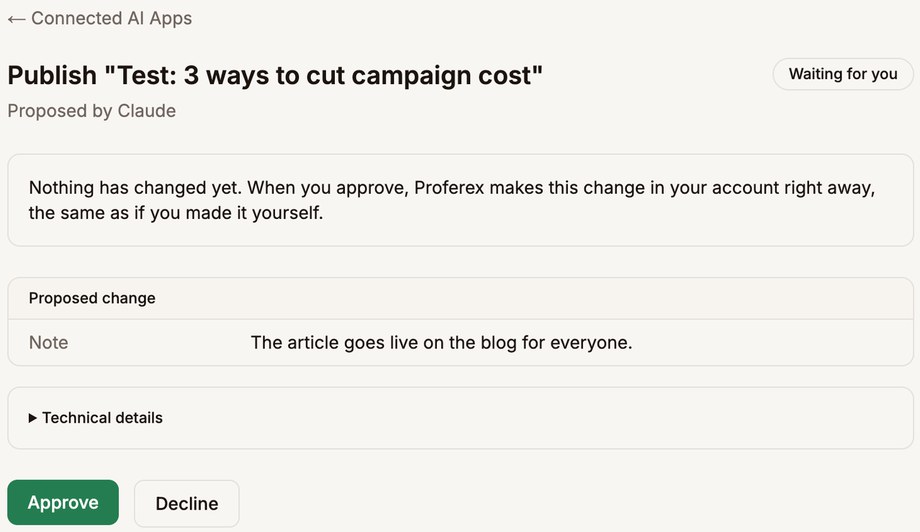
Nothing goes live until you approve it Blog rows open on click
Click any article or page in the list and it opens in the editor. Small thing, but it was annoying. The blog you had picked also stays picked when you come back.
Analytics results that stay put
Changing a filter no longer reshuffles the table before you hit Run, so you won't see new headings sitting on old numbers. If a run comes back empty, it tells you. Connection types now read Wi-Fi, Carrier and Datacenter, in plain words.
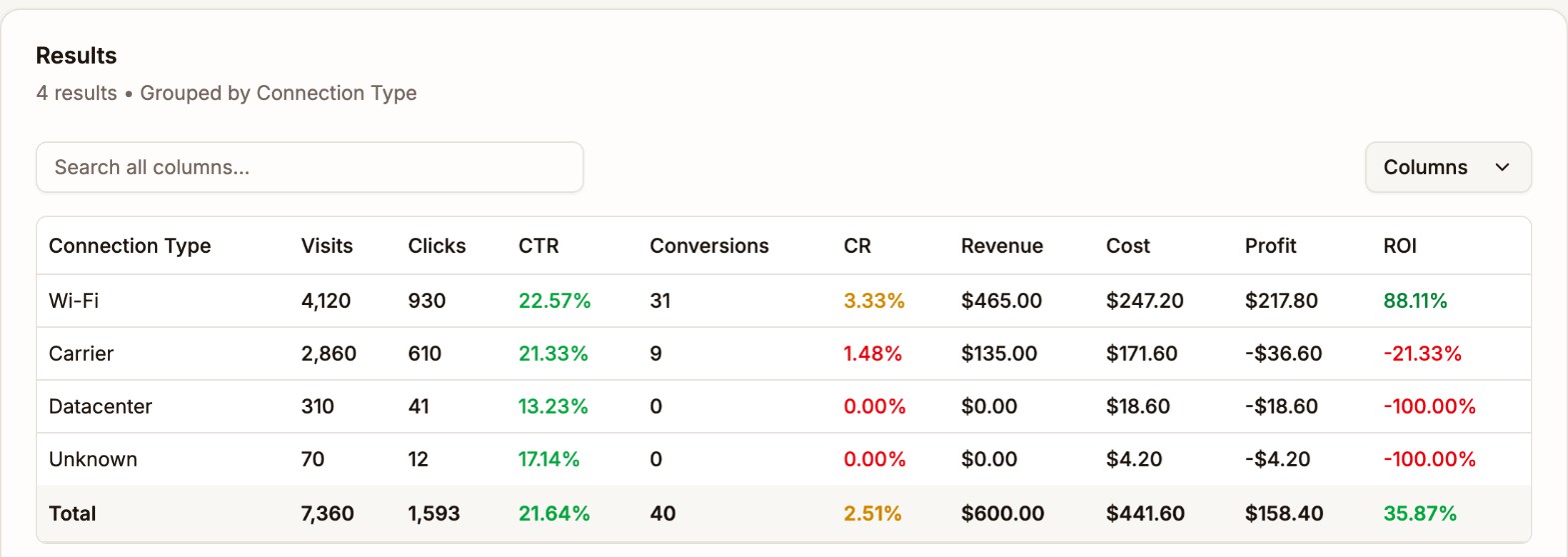
Connection types in plain words The Proferex Manual is live
We wrote the whole thing down. Setting up your first campaign, reading your reports, scaling a winner. There are screenshots on every page, and you can search it from anywhere in the docs.
Dayparting, one day at a time
Dayparting is now a weekly grid. Click the hours you want, day by day. Want Friday 10pm to Saturday 4am and nothing else? Just select those hours. Your old schedules carried over as they were.
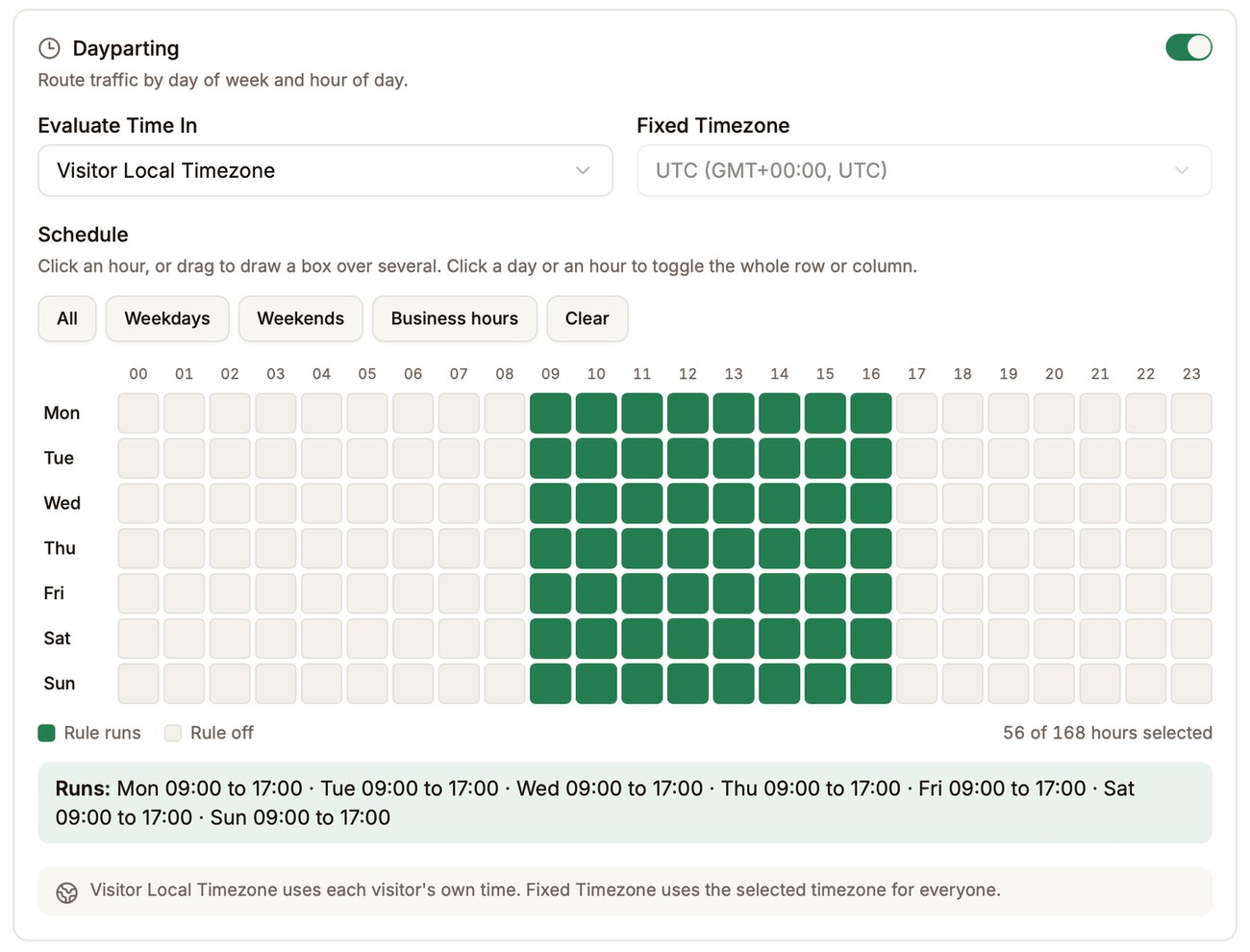
One row per day, one column per hour No more guessing country codes
Rule conditions and Analytics filters now give you a searchable list for countries, devices, browsers and more. You don't have to remember that the UK is GB anymore.
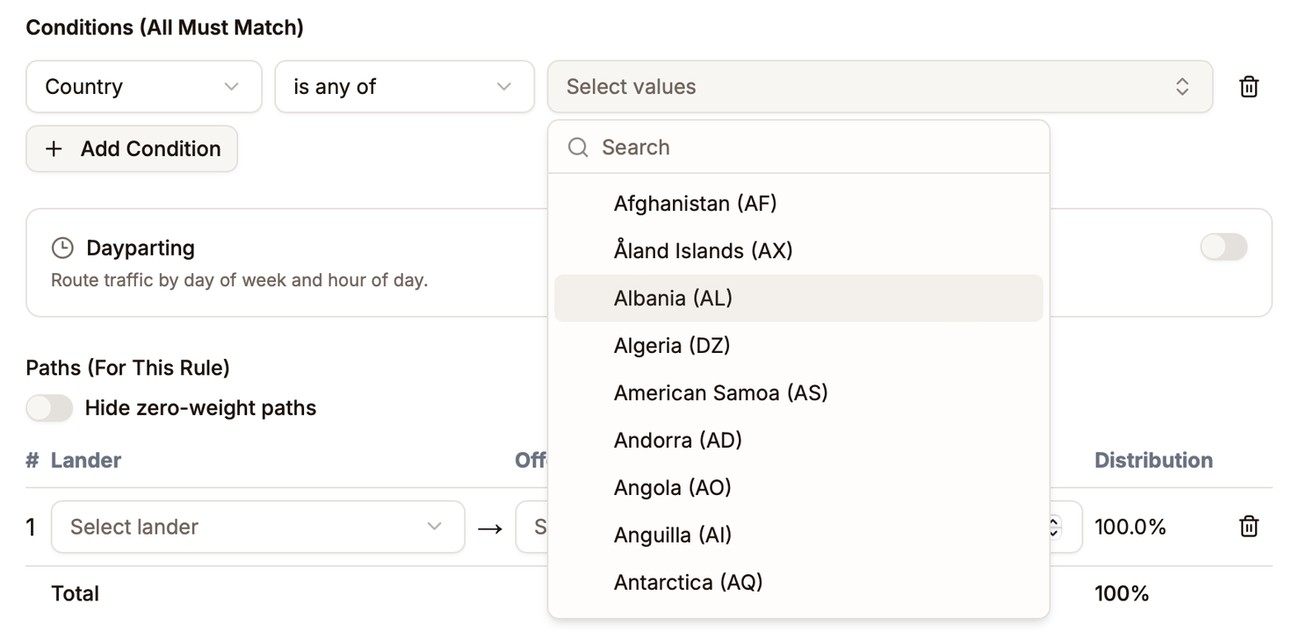
Search and pick, no codes to remember All your custom tokens in one report
Custom Tokens Performance now shows every token on a campaign side by side. Good for spotting which mix of values actually converts.
Full click details in the log
Click View on any click or conversion and you'll see everything we recorded for it, including every value your traffic source sent. Handy when a postback looks off.
The agent got smarter
We switched the agent to the latest Claude models, in both Fast and Deep mode. You'll notice it most on the harder "why is this campaign losing money" questions.
Exact numbers on the Dashboard
The Dashboard used to round things to $1.6K. Now you get the real number, down to the cent.
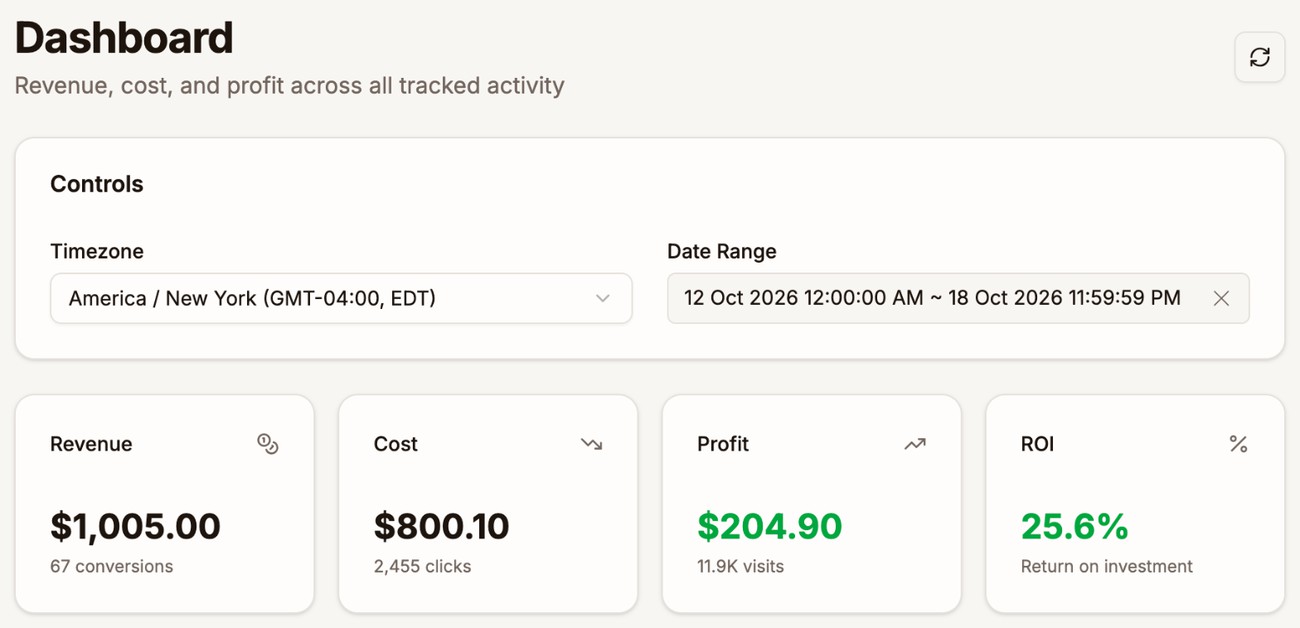
Down to the cent Hide switched-off paths
Got a combination with 30 paths and half of them switched off? There's a new toggle in the path editor that hides the ones set to 0.
The agent knows the manual
Ask the agent how to do something in Proferex and it answers from the manual, with a link to the chapter if you want the full story.
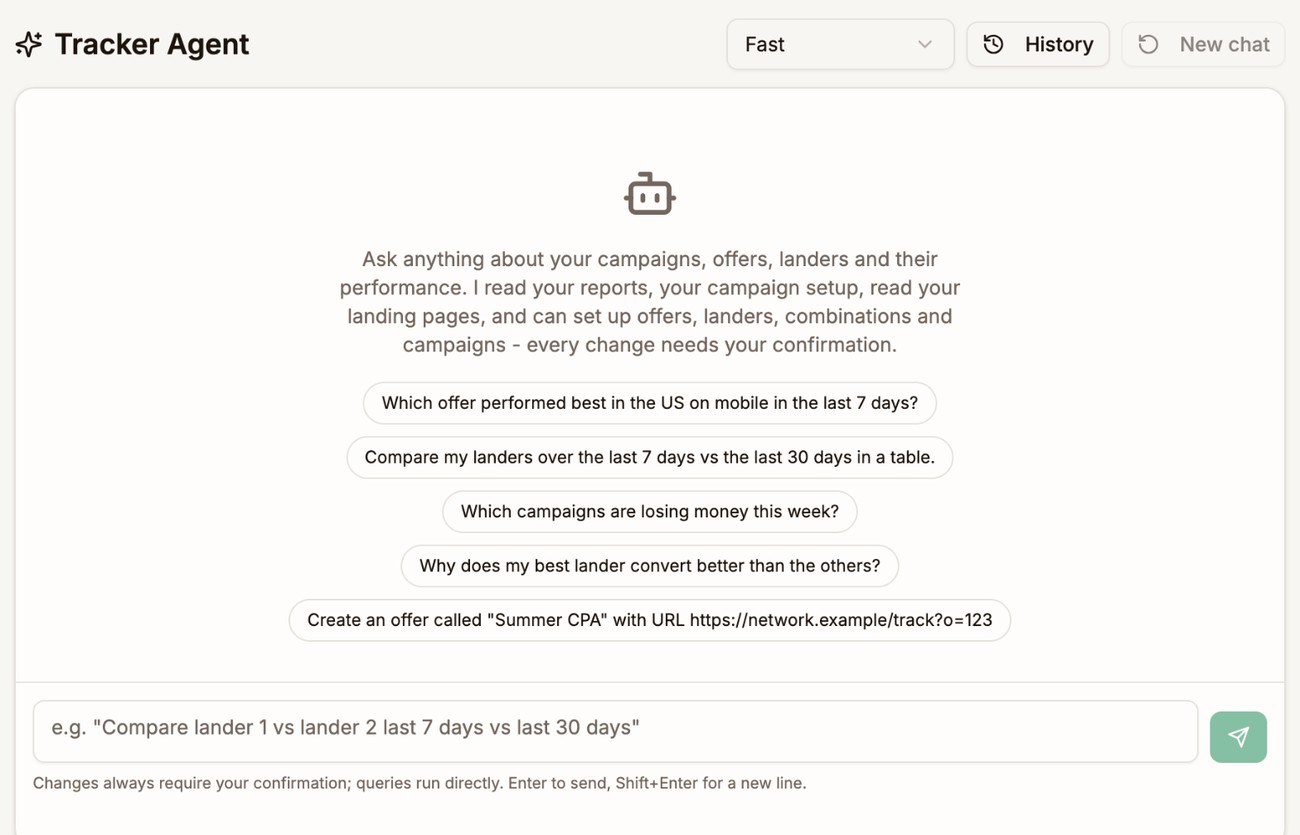
Ask it anything, including how to use Proferex